Subault
Subault is a native macOS app designed to be a compact companion for your personal projects, offering a seamless offline experience. The app enables users to store notes, images, and links, providing quick access to their favorite files without requiring an internet connection.
When working on a project, I conduct extensive research by collecting images for reference, writing notes, and saving links. Before Subault, I used Eagle for images, Obsidian for notes, and Raindrop.io for links. While each is great software on its own, I found using them simultaneously for a single project and switching back and forth between them to be really tedious.
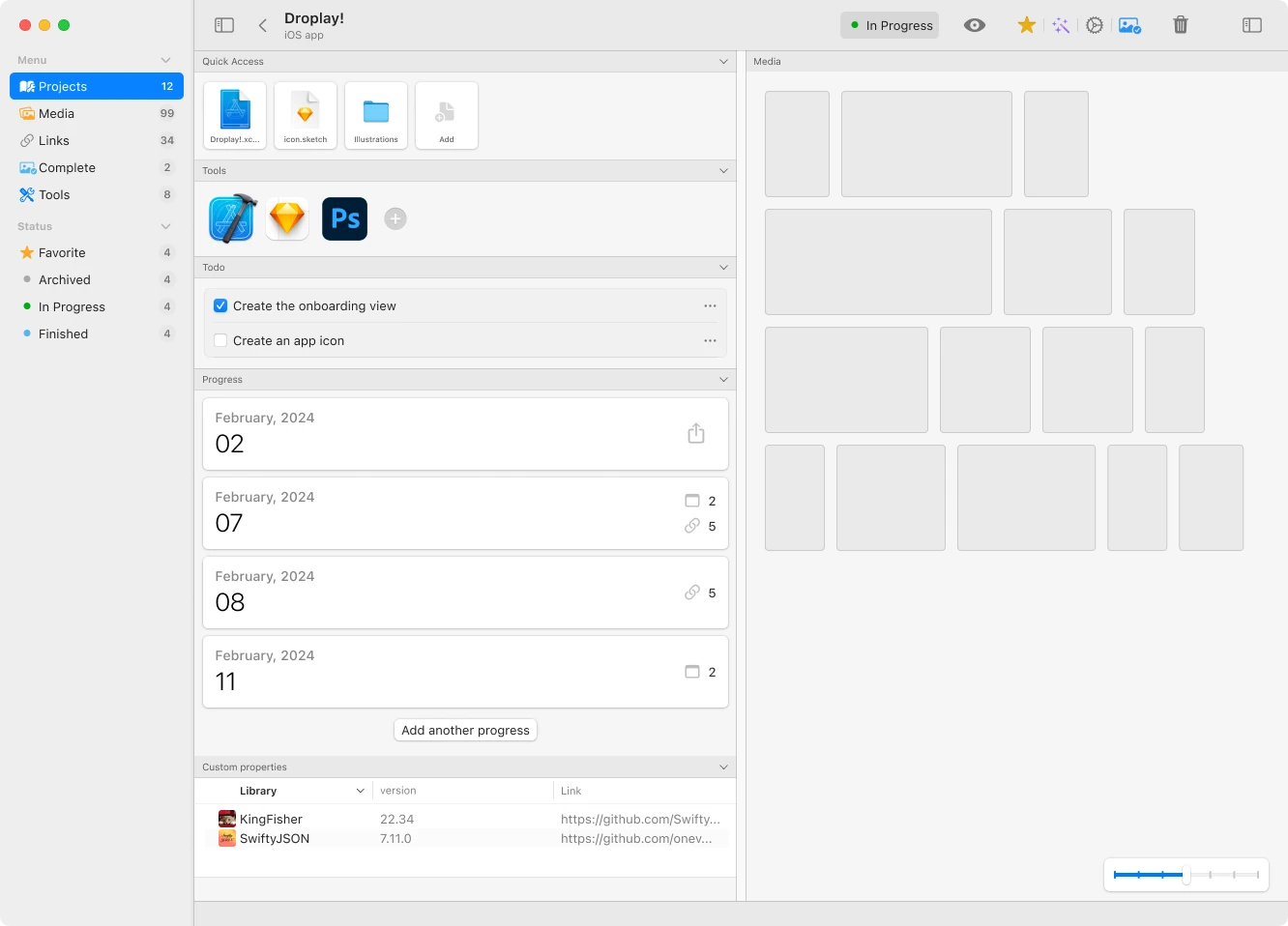
For Subault, one minor goal is that users will not have to prepare extensively for building a portfolio. Designers often find themselves suddenly needing to create a portfolio site or PDF without any materials ready. Subault aims to facilitate this by enabling users to export a streamlined workflow of their projects using GPTs. The initial prototype image below shows that users can store various types of information about a project, such as used tools or even user-defined properties. However, it became apparent that this approach was almost feature creep and did not clearly convey what Subault can do. Consequently, I narrowed the features down to those truly essential.
When it comes to delivering a great user experience and choosing the right technology to achieve it, I believe utilizing native frameworks is almost pivotal. Nowadays, many macOS apps are built using Electron, which is great for compatibility. However, Subault was developed entirely in SwiftUI, offering user interfaces that macOS users are familiar with, including multi-window interactions.